


Smart search
Find a movie, series or channel in two letters.
Your content. Your player. · Add your playlistM3U and Xtream Codes
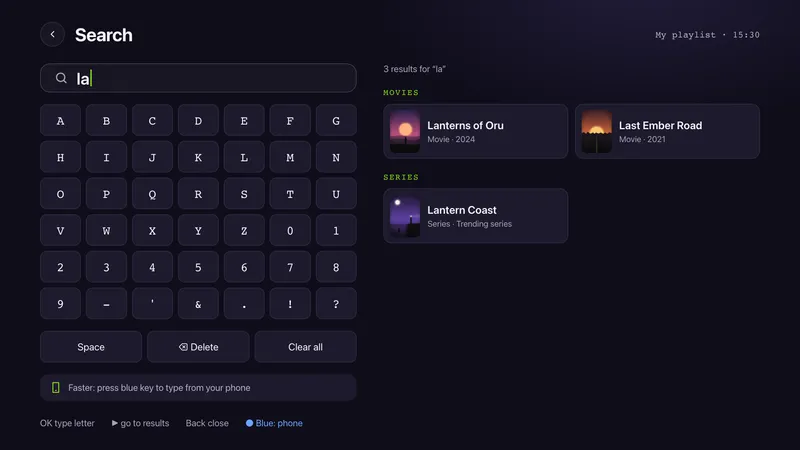
Search
Type with the remote, or from your phone.
WePlayer plays your own M3U and Xtream playlists on your Smart TV, with a TV guide, favorites and your phone as a remote. Soon you’ll also be able to chat live with everyone watching the same thing as you.
60-day free trial, no card needed. Then 5.99 USD a year, or 19 USD once.


Posters, ratings and categories come from your playlist. WePlayer sorts them and shows them off.
Real posters: open movies by the Blender Foundation (CC BY), © Blender Foundation | studio.blender.org. Other titles are fictional.
Built for the remote. Everything is included during the trial and with a licence.
Find a movie, series or channel in two letters.
Your content. Your player. · Add your playlistM3U and Xtream Codes
Type with the remote, or from your phone.
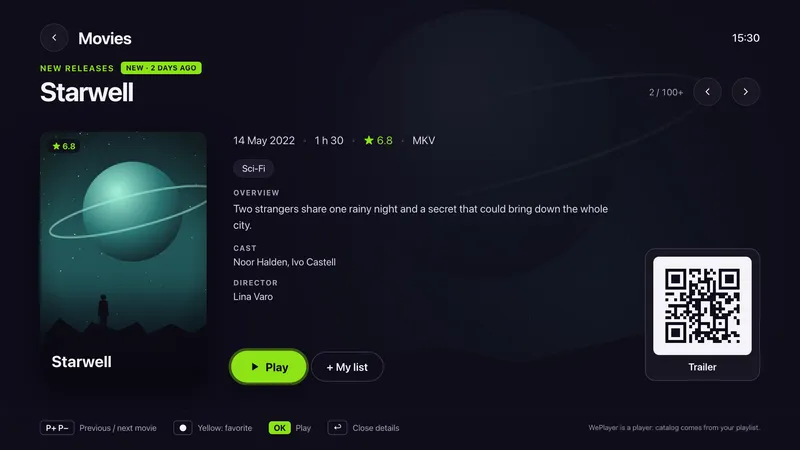
Plot, cast, rating and trailer.
Your content. Your player. · Add your playlistM3U and Xtream Codes
The trailer opens on your phone with a QR code.
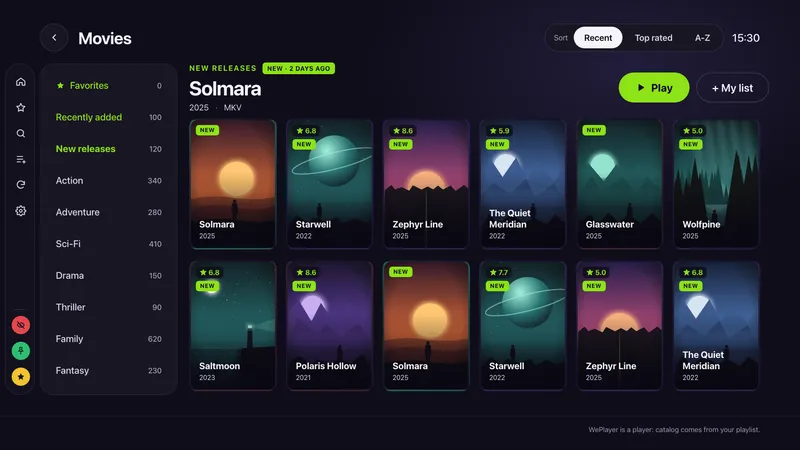
Posters, categories and sorting in one click.
Your content. Your player. · Add your playlistM3U and Xtream Codes
Recent, top rated or A to Z: your call.
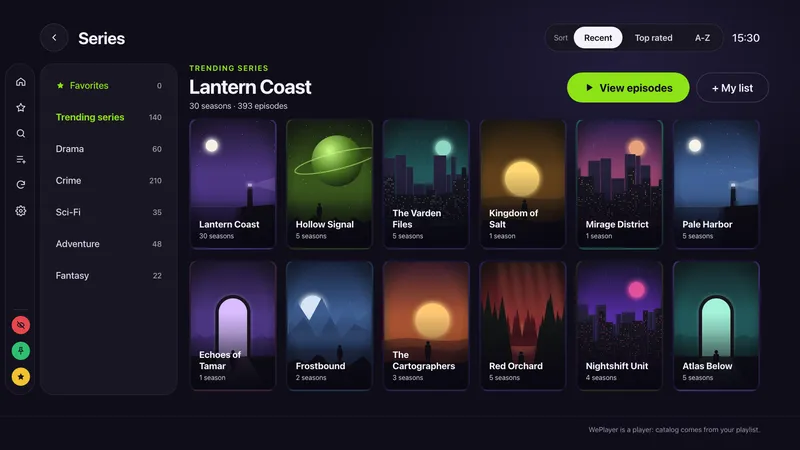
Your series sorted, episode by episode.
Your content. Your player. · Add your playlistM3U and Xtream Codes
Resume the episode where you left off.
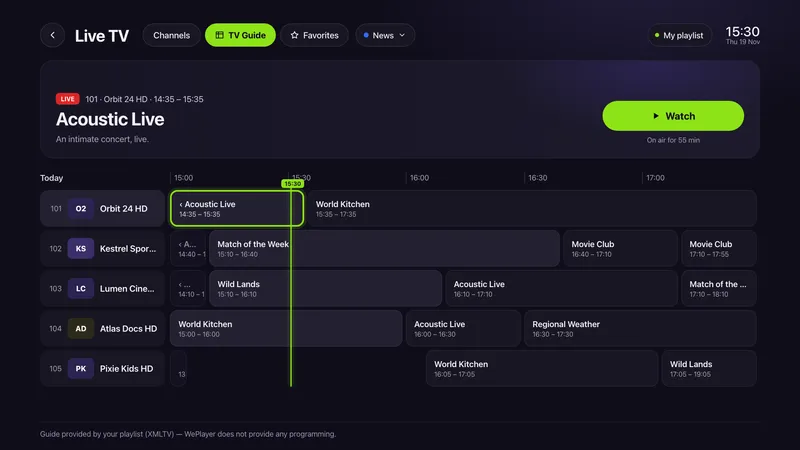
What’s on now, and what’s next.
Your content. Your player. · Add your playlistM3U and Xtream Codes
Your playlist’s full schedule (XMLTV), live.
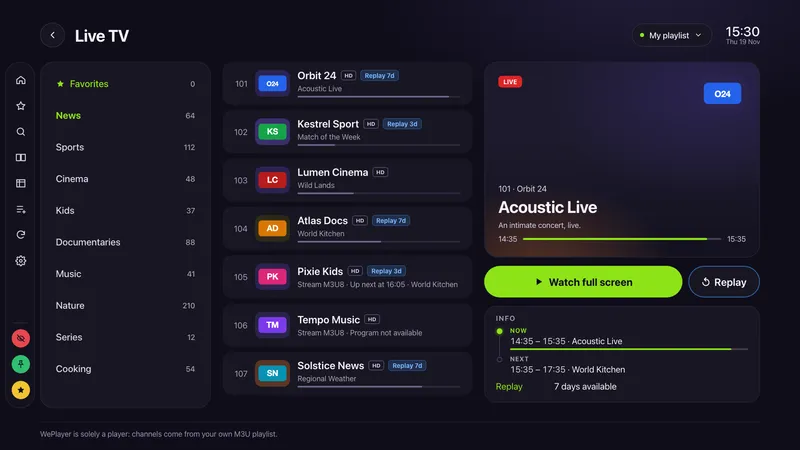
Preview, current programme and replay.
Your content. Your player. · Add your playlistM3U and Xtream Codes
Up to 7 days of replay when your provider offers it.
Keep your favorite channels, movies and series one click away.
Control the TV and type your searches from your phone.
Add several playlists and switch between them.
Play videos from your UPnP / DLNA servers at home.
See at a glance whether a stream is 480p, 720p, 1080p or 4K.
The interface speaks your language, right-to-left in Arabic.
Titles, posters and channels shown are fictional, for illustration only. WePlayer provides no content.
Every channel, every event, every game will have its own chat room. You stay on your screen, the conversation sits beside it, and you reply from your phone.
Meet the people watching the same channel and comment live.
React live with everyone following the same event without leaving the stream.
Follow a game or a tournament and talk about it while it’s played.
Rooms are about what you watch with your own playlists. WePlayer streams no shows and no channels. No date announced yet: we’ll let you know in the app.
If a website sells you a subscription or channels in WePlayer’s name, it has nothing to do with us. The only thing you can buy is the app licence, on this site or from your TV.
The trial starts the first time you open the app on your TV. Every feature included, no card needed.
After the trial, pick the plan that suits you.
Prices in US dollars. A licence belongs to one TV; your playlists and favorites stay in place after the trial.
Activate your customers’ TVs with credits, at volume prices.
On Samsung Smart TV and LG webOS, from the TV’s app store: search for “WePlayer”. You can also open it in a web browser. Android TV, Fire TV, Apple, Microsoft, Roku, Titan OS, VIDAA and Whale TV are coming soon.
No. WePlayer is an empty player. You add a playlist (M3U link, Xtream account or file) from a service you have legal access to.
Open WePlayer on the TV: a QR code and a 6-character code appear. Scan the QR or enter the code on the “Send a playlist” page, then paste your link or pick your file.
60 days from the first launch on your TV. Your playlists and favorites are kept when you activate the licence.
On the TV, open Settings › WePlayer licence and scan the QR code with your phone. You can also enter the TV’s MAC address on the “Activate” page. Choose 1 year or Lifetime, then pay: the TV unlocks as soon as payment arrives.
No. The licence is paid yearly (5.99 USD) or once for good (19 USD).
No, one licence covers one TV. Each TV gets its own 60-day trial.
The community chat is in the works. We’re not announcing a date: it will arrive with an app update.